Software for vehicle network development and test
Analysis, simulation, diagnostics and test for vehicle buses. Fully usable offline.
Arnodiqa is a development and test tool for CAN, CAN FD, CAN XL, LIN and J1939. It records and decodes bus traffic, simulates rest buses and ECUs, runs diagnostics and flashing, and automates tests. It is used by engineers at OEMs, suppliers and test labs, including in environments without an internet connection.
- No telemetry, no online activation
- Perpetual licence
- Desktop application and CLI
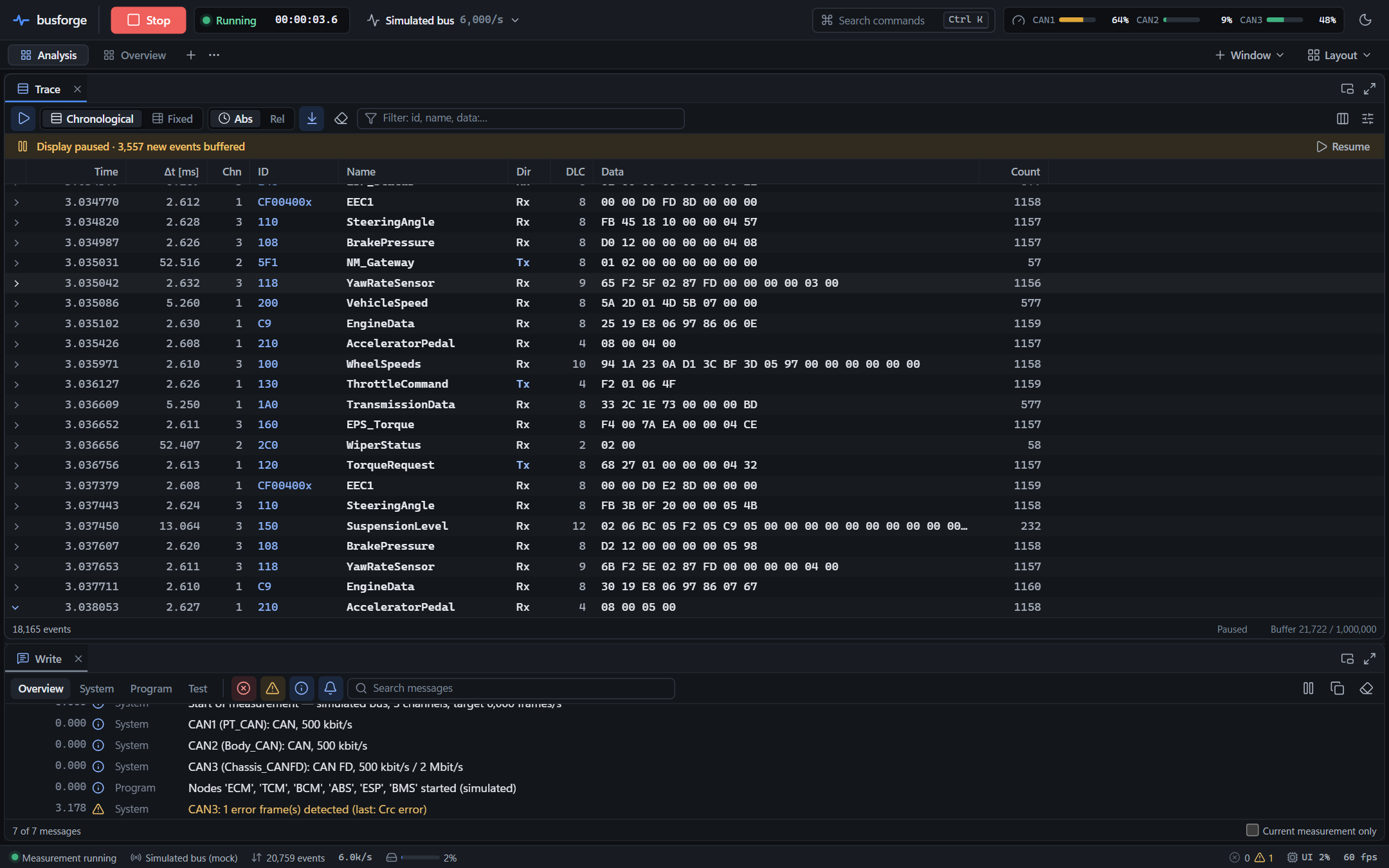
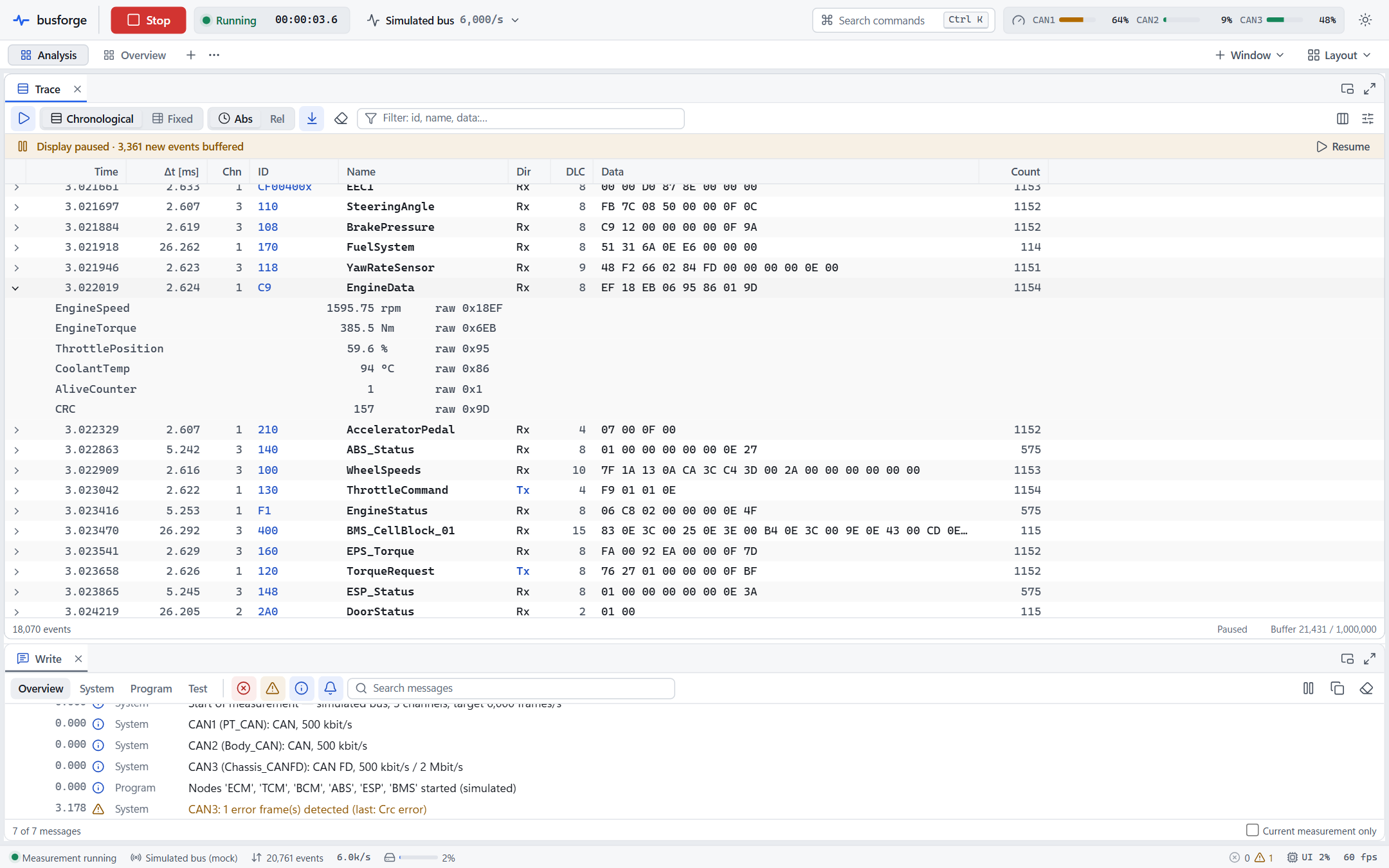
Trace window with decoded CAN and CAN FD traffic on three channels. Below it, the Write window.
Applications
One engine for the desktop and the command line
Analysis
View bus traffic live or from BLF, ASC and MF4 logs. Decode with DBC or ARXML, then filter, log and export.
AnalysisRest-bus simulation
Interaction layer from DBC, ARXML or LDF with send types, cycle times, alive counters, E2E and SecOC.
SimulationDiagnostics and flashing
ISO-TP, UDS, OBD-II, DoIP and J1939, symbolic with ODX/PDX. ECU simulation and flashing via UDS.
DiagnosticsTest and CI
Test modules in CAPL, test units in YAML, reports as HTML, JSON and JUnit. The headless CLI returns an exit code based on the verdict.
TestAir-gapped operation
Built for isolated labs
Test benches, HIL rooms and security labs are often deliberately disconnected from the internet. Arnodiqa makes no network connections and collects no telemetry. Installation, licensing and documentation work without internet access.
| Licence | Signed licence file, checked locally. No activation, no phone-home. |
|---|---|
| Installation | Offline Windows installer. SBOM and third-party notices with every release. |
| Hardware key | Not required. |
$ arnodiqa run examples/demo/demo.yaml --duration 2s
measurement #3: 2.000000 s, 990 events, stop: Duration

channel  frames      rx      tx  err  fps(last s)  load%   peak%  state
CAN1        920       0     920    0          460   14.2    14.2  ErrorActive
CAN2         70       0      70    0           35    0.8     0.8  ErrorActive

logging:
  Logging: 990 events, 0 lost
    examples\demo\logs\Demo_3.blf
  HighRpmLog: 94 events, 0 lost
    examples\demo\logs\high_rpm_003.asc
$ echo $?
0
Demo project without hardware: two virtual CAN networks with rest-bus simulation from the DBC, BLF logging and a trigger that captures an ASC excerpt. Full output in the documentation.
Demo
The application in 36 seconds
Creating a project, starting a measurement, the Trace with a filter, a frame with its signals and a signal in Graphics.
Specifications
Technical data
| Bus systems | CAN 2.0 A/B, CAN FD (ISO, non-ISO), CAN XL, LIN, J1939 |
|---|---|
| Databases | DBC, ARXML (AUTOSAR Classic 3.x/4.x), LDF, FIBEX, ODX/PDX Editor for DBC and LDF; tools for lint, diff, convert and info |
| Log formats | BLF, ASC, MF4 (ASAM MDF 4.1), PCAPNG (read and write) Signal export to CSV, MATLAB (.mat) and Parquet Recordings remain readable after a crash or power loss |
| Interfaces | Virtual bus (multi-channel) PEAK PCAN-Basic, Vector XL, Kvaser CANlib, SLCAN, candleLight/gs_usb, via the manufacturer's official driver |
| Diagnostics | ISO-TP, UDS, OBD-II, DoIP (TCP and TLS), J1939-73; ECU simulation; flashing via UDS; Seed & Key DLLs (32 and 64 bit) |
| Scripting | Script VM for existing CAPL programs; CAPL Editor in the application; language server and VS Code extension |
| Test | Test Runner in the application and arnodiqa test; test modules in CAPL, test units in YAML; reports as HTML, JSON and JUnit XML |
| Automation | Headless CLI, JSON report, exit codes; projects in YAML with JSON Schema |
| Operating systems | Windows 11 (x64), offline installer (MSI or setup.exe) |
| Performance | Live Trace: 20,000 frames/s at 60 fps display BLF read: more than 6 million frames/s |
| Network | No internet connection required, no telemetry |
| Licence | Perpetual, with a signed licence file; 30-day evaluation with all features |
Users
For development and validation teams
OEMs
Network integration, rest-bus simulation of the vehicle and validation of supplier ECUs.
Suppliers
ECU development against the OEM database, diagnostics, flashing and regression tests in CI.
Test labs
Test benches and HIL setups, often on networks without internet access.
Engineering firms
Project work for several customers, with node-locked, site or volume licences.
Evaluate on your own test bench
The evaluation runs for 30 days with all features, on your own hardware and in your own network, also without an internet connection. You receive the offline installer and the documentation.